
Training Video Production
Don’t explain. Entertain.
ExplainCraft creates employee training videos, onboarding videos, compliance content and educational videos designed to hold attention long enough for the lesson to matter.
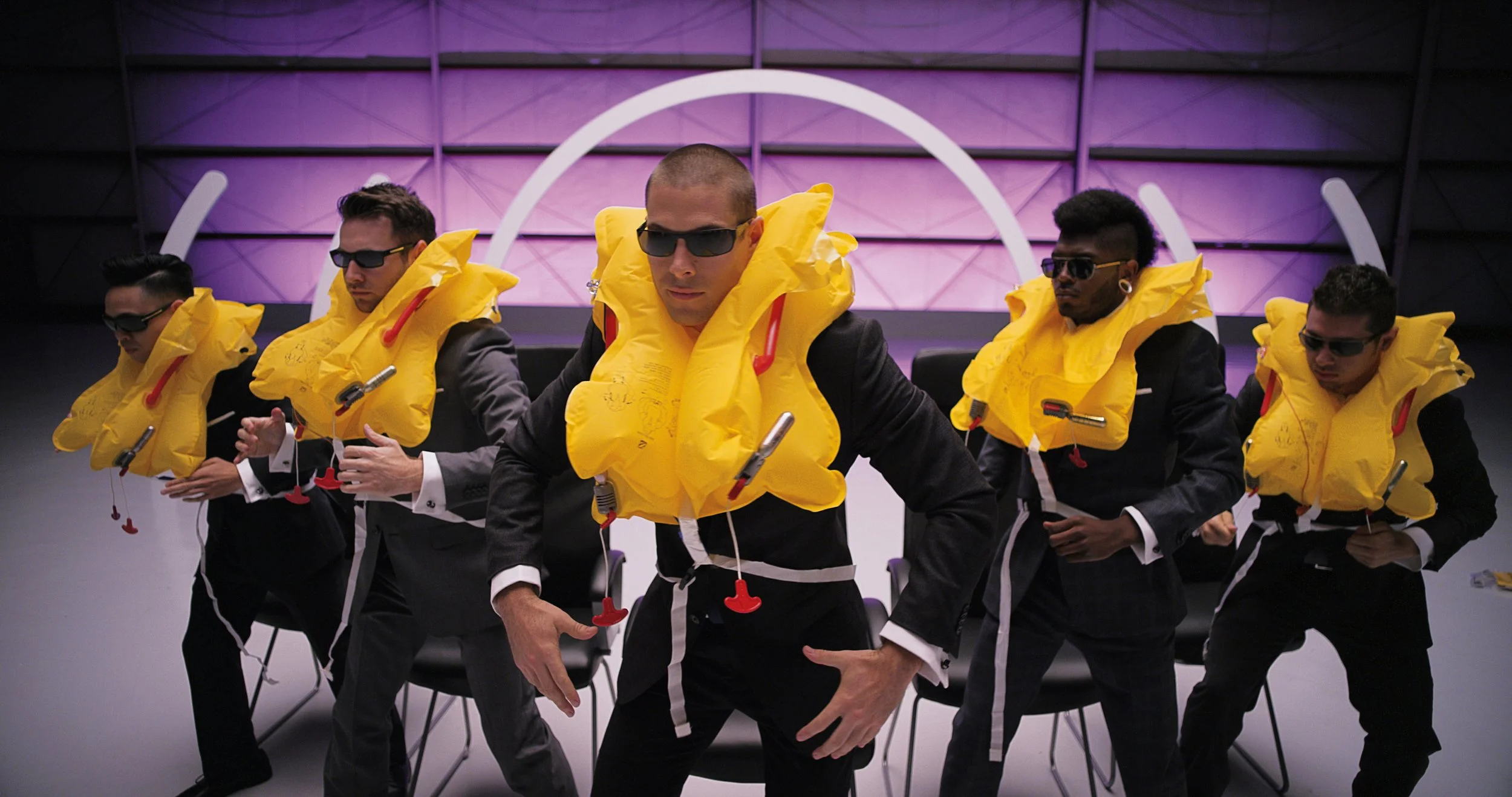
Virgin America transformed one of the most ignored moments in air travel into something memorable. They didn’t make safety less important—they made it impossible to ignore.
Great training earns attention, tells a story and makes the lesson stick.


TRAINING VIDEO USE CASES
Training videos for the moments people cannot afford to ignore.
Different organizations teach different material, but the challenge is the same: turn required information into a clear experience people will watch, understand and remember.
Employee onboarding videos
Help new hires understand the company, their role, key systems and expectations without overwhelming them on day one.
Compliance training videos
Turn policies, regulations and required procedures into focused stories that feel more human than a slide deck.
Safety training videos
Make high-stakes instructions clear, visual and memorable so employees can recognize risks and respond correctly.
Software training videos
Teach workflows, features and processes through practical demonstrations built around what users need to accomplish.
Healthcare education videos
Explain procedures, equipment, patient responsibilities and clinical information with accuracy, empathy and clarity.
Sales training videos
Give teams a consistent way to understand products, positioning, objections and the customer story behind the pitch.
Customer education videos
Reduce confusion and support needs by showing customers how to get value from a product or service.
Leadership and culture videos
Communicate values, behavior expectations and organizational change in a way that feels credible rather than corporate.
Our Philosophy
Effective training videos do more than explain.
They create an experience people remember.
Entertain First
People don’t pay attention because information is important—they pay attention because it’s interesting.
Earn attention before delivering the lesson.
- Humor
- Storytelling
- Memorable characters
- Surprising visuals
- Clever editing
Earn attention first. Teach second.
Tell a Story
No one follows a numbered list of procedures. People naturally gravitate toward stories.
Replace jargon and long explanations with situations, characters, visual demonstrations, familiar clips, and relatable moments.
- Less jargon
- More visual demonstrations
- Familiar references
- Repeated key ideas
- A clear beginning, middle, and end
Less “Here are the steps.” More “Here’s what happened.”
Make It Stick
Don’t just explain what to do—give people something they’ll remember next week.
Anchor the lesson to moments, language, and images the audience can recall long after the video ends.
- Recurring characters
- Catchphrases
- Visual metaphors
- Callbacks
- Emotional moments
Memorable beats forgettable every time.
Training isn’t finished when someone watches it. It’s finished when they remember it.
Why Most Training Videos Fail
Required viewing is not the same as earned attention.
Most training videos begin with the information the organization needs to deliver. Effective training begins with the person who has to absorb it.
When the script sounds like a policy document, the visuals simply decorate the narration and every idea receives equal weight, viewers may finish the video without remembering the lesson.
The goal is not to make important information less serious. It is to make that information easier to follow, easier to understand and harder to forget.
How Learning Sticks
Good training reduces the work required to understand.
The strongest educational videos use structure, relevance and visual reinforcement to help the audience identify what matters and connect it to real behavior.
Start with relevance
Show the audience why the lesson matters to their job, safety, customer or daily experience before presenting the details.
Organize one idea at a time
Break complex information into a logical sequence so viewers always know what they are learning and why.
Use story and examples
Scenarios, consequences and recognizable situations make abstract policies easier to understand and apply.
Reinforce visually
Motion graphics, demonstrations and on-screen cues should clarify the lesson rather than compete with it.
End with action
Make the expected behavior, next step or decision unmistakable so the information can move into practice.
Why ExplainCraft
We treat training like communication—not documentation.
Every project begins by deciding what the audience truly needs to understand, remember and do differently.
Story before information overload
We organize the material around a clear human problem, scenario or outcome instead of reading a document aloud.
Built for complex subjects
Policies, healthcare, software, safety and technical processes need clarity without losing accuracy or credibility.
Entertainment with a purpose
Humor, characters and cinematic visuals are tools for attention and retention—not distractions from the lesson.
Flexible production
We combine live action, animation, motion graphics, screen recordings, voiceover and AI-enhanced visuals based on what teaches best.
Training Video FAQ
Questions organizations ask before producing training videos.
Clear answers about cost, length, scripting, production style and turning existing training material into content people will actually use.
What is a training video?
A training video is educational content created to teach a specific process, policy, skill or behavior. Organizations use training videos for employee onboarding, compliance, safety, software instruction, customer education, sales enablement and professional development.
How much does a professional training video cost?
Most ExplainCraft training video projects fall between $5,000 and $10,000, depending on the amount of research, scripting, live action, animation, motion graphics, screen recording, voiceover and the number of final videos or versions required.
How long should a training video be?
The ideal length depends on the complexity of the lesson. Many focused training videos work best between two and six minutes. Longer subjects are often more effective when divided into a short series or learning modules rather than one long presentation.
What types of training videos do you produce?
ExplainCraft creates employee onboarding videos, compliance training, safety videos, software tutorials, healthcare education, customer education, sales training, leadership communication and instructional content for complex products or processes.
Can training videos be entertaining without making the subject feel less serious?
Yes. Entertainment does not have to mean turning every topic into a joke. It can mean using a strong opening, a relatable scenario, better pacing, visual storytelling or a memorable character. The creative approach should support the importance of the lesson.
Do you write the training video script?
Yes. We review the source material, identify the learning objective, remove unnecessary complexity and organize the lesson around what the viewer needs to understand and do. Subject-matter experts can then review the script for accuracy before production.
Can you turn existing presentations, policies or manuals into videos?
Yes. Existing documents provide useful source material, but they usually need to be rewritten for video. We translate dense presentations, policies, procedures and manuals into a more natural script supported by examples, demonstrations and purposeful visuals.
Should training videos use animation, live action or screen recordings?
The best format depends on the lesson. Live action works well for human behavior, safety and workplace scenarios. Animation can simplify abstract or technical ideas. Screen recordings are useful for software instruction. Many projects combine several formats.
Can you create a series of training modules?
Yes. A modular series is often the best approach for a large subject. It gives each lesson a clear focus, makes updates easier and allows employees or customers to find the information they need without rewatching an entire course.
How can one training video be reused?
A core training video can often be adapted for onboarding, a learning management system, meetings, internal communications, customer support, sales enablement or social content. Shorter edits, chapter versions and alternate introductions can extend its useful life.
Need training people will actually finish? Let’s make the lesson worth remembering.
Tell us what your audience needs to learn, understand or do. We’ll help turn the material into a clear, engaging training story.
Employee training, onboarding, safety, compliance, software instruction and educational video.
Start a Project